One centralised calendar per property: sync Airbnb, Booking.com and Vrbo with a single iCal link
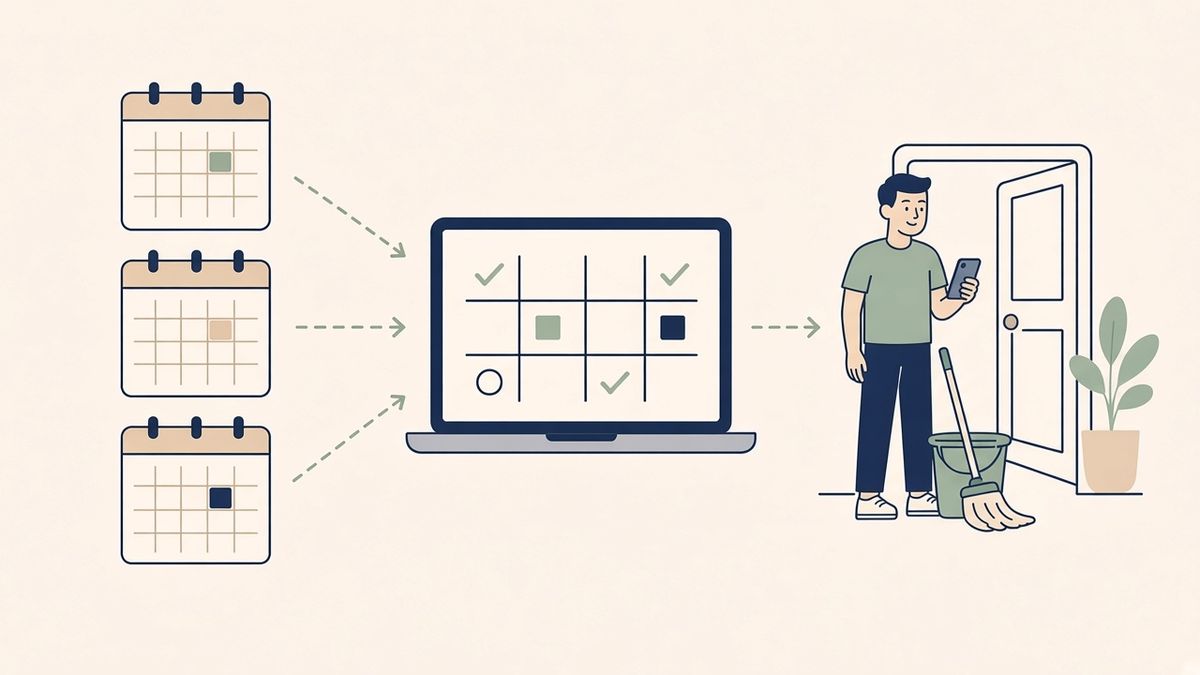
You rent the same home on Airbnb, Booking.com and Vrbo, and perhaps directly to regular guests. Each platform has its own calendar, and none of them knows what happens on the others. The most common method is to paste each platform's iCal link into all the others. It works with two listings, much less well beyond that.
There is a simpler setup: one centralised calendar per property, which receives every booking and is then imported back into each platform. Here is how it works, what it solves and what it does not.
The problem with cross-linked calendars
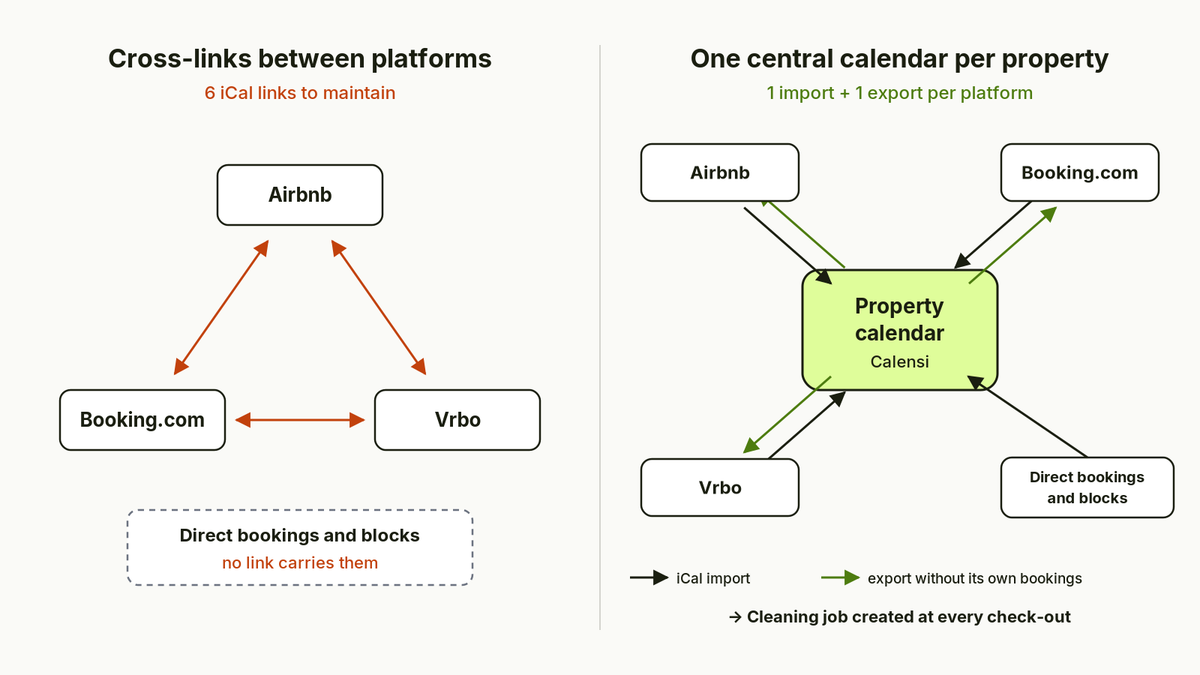
With three platforms, "star" syncing needs six links: Airbnb imports Booking.com and Vrbo, Booking.com imports Airbnb and Vrbo, Vrbo imports Airbnb and Booking.com. Each link is a possible point of failure. If a link is removed during a listing update, or a platform regenerates its export URL, one calendar stops receiving another's bookings, without any warning.
On top of that, there are two blind spots:
- direct bookings (friends, regulars, returning guests) are on no platform, so no iCal link carries them;
- personal or maintenance blocks have to be entered by hand on every platform, with the risk of forgetting one.
This is often where double bookings come from. We explain what happens in that case in our article What happens when you get a double booking on Airbnb.
How a centralised calendar works
The idea is to route all information through a single point per property:
- you import the iCal links from Airbnb, Booking.com and Vrbo into one central tool;
- you add your direct bookings and your blocks there;
- the tool produces an export link for that property, which you paste into each platform.
Each platform now has only one calendar to import. A new listing only needs one import and one export, without touching the others.
Avoiding loops: one link per target platform
One technical point matters a lot. If the link pasted into Airbnb also contains the Airbnb bookings, Airbnb re-imports its own bookings as blocked dates. Depending on the case, this creates duplicates or dates that stay blocked after a cancellation.
Good practice is therefore one export link per target platform: the one meant for Airbnb contains the Booking.com, Vrbo and direct bookings plus the blocks, but not the Airbnb bookings. And so on for each platform.
What Calensi does
In Calensi, each property brings together the imported calendars (iCal links from Airbnb, Booking.com, Vrbo or another tool, or a direct connection to Lodgify, Smoobu or Beds24). You can add a direct booking or block dates there.
If Lodgify is your booking tool, you set up the API connection from the Lodgify integration page, with no iCal feed in between.
In the property's export section, you choose the destination platform and Calensi generates a secure iCal link for it. This link leaves out the target platform's own bookings to avoid loops, and contains the bookings from the other platforms, your direct bookings and your blocked periods. You then paste it into the "import calendar" section of Airbnb, Booking.com or Vrbo.
The main benefit is still cleaning. Because all of the property's bookings arrive in one place, each check-out automatically creates a cleaning job, including for a direct booking. If a booking is cancelled or its dates change, the job follows. Your cleaner sees their jobs in the app, whether the booking came from Airbnb, Booking.com or your own contacts.
What a centralised calendar does not solve
Calensi is not a channel manager. It syncs availability (bookings and blocks), not prices, minimum stays or other restrictions. To manage rates from one place, you need a channel manager or a PMS. We compare both approaches in iCal sync vs channel manager: which one do you actually need?.
The delay does not disappear either. Calensi reads the imported calendars every hour, but each platform reads the export link at its own pace, which neither you nor Calensi controls. Between a booking on Booking.com and the same dates being blocked on Airbnb, there is still a window of a few hours. To reduce it:
- avoid opening very close dates for booking on every platform at once;
- after a last-minute booking, also block the dates by hand on the other listings.
Setting it up, step by step
- Create the property in Calensi and import the iCal link of each of your listings.
- Add your direct bookings and upcoming blocks.
- Generate one export link per platform and paste it into each listing.
- Then remove the old cross-links between platforms, so that each listing imports only one calendar.
- Invite your cleaner or cleaning company so they receive the jobs.
Compare before you choose
A centralised calendar is only part of the picture: cleaning scheduling, photos, checklists and external teams matter just as much. To see how Calensi compares with other tools, read our comparison of short-term rental cleaning tools.