Security deposit disputes: building your file with cleaning photos
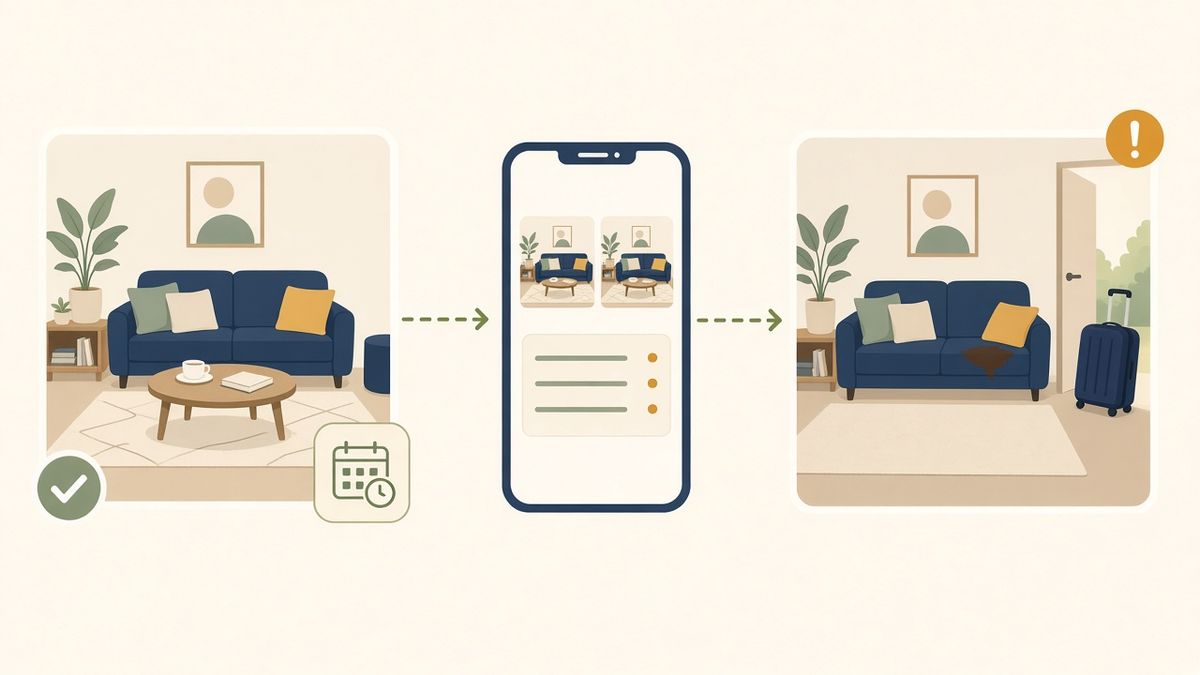
The guest has just checked out and your cleaner sends you a message: a stain on the sofa, a scratched coffee table, a glass missing. Now you need to work out how to raise that damage with the guest or the platform.
In a security deposit dispute, being right is not enough: you need to be able to show it, with dated records clearly tied to the right stay. Here is how to go about it, and where the photos taken by your Cleaner in Calensi fit in.
Why so many deposit disputes go nowhere
Most claims don't fail for lack of damage, but for lack of usable records. The usual situations:
- there is no "before" photo, or it dates back to when the listing went live and doesn't show the actual condition when the guest arrived;
- the "after" photo was taken by the host, with no context, and nothing clearly links it to this stay rather than the next one;
- the pictures are scattered across several phones and messaging apps;
- the claim goes out too late: platforms set time limits on claims, and the window often closes quickly, sometimes as soon as the next guest arrives.
Whether it's a deposit you collected directly, a deposit handled by the platform or a request through a resolution centre such as Airbnb's, the person reviewing your case wasn't there. They need to understand what happened within a few minutes.
Guest damage: what evidence should you gather?
A good file answers three questions: what condition was the property handed over in, what condition was it found in, and what ties both to the stay in question? In practice, gather:
- the handover condition: dated photos of the ready property, taken just before the guest's arrival;
- the condition found: dated photos taken just after checkout, with close-ups of the damage;
- the stay details: check-in and check-out dates, booking reference, booking platform;
- the messages: your conversation with the guest in the platform's messaging, especially if they reported an issue themselves;
- the costs: quotes, repair invoices or receipts.
The first two are the hardest to get right. Ideally, the photos are taken by a third party, at cleaning time, and linked to the right booking. That is exactly what your Cleaner can do.
How Cleaner photos in Calensi help build your file
In Calensi, every booking synced from Airbnb, Booking.com, Vrbo or your PMS (Lodgify, Smoobu, Beds24) creates a cleaning mission. The Cleaner takes photos at the start and at the end of the job, can attach a photo to checklist tasks and can report an incident with photos, a category and a comment.
These photos aren't just stored. Each one comes with:
- a server-side timestamp, not read from the phone's clock, which anyone can change. If the photo was taken offline, the delay before upload is shown openly;
- a digital fingerprint, with the photos of each mission chained together: you can check that no image was replaced or removed afterwards;
- an on-site indicator, if the Cleaner allows location access, without storing their exact position;
- a daily timestamp from two independent services (Open TSA and OpenTimestamps), showing that the photos existed no later than that date.
From the booking concerned, you then open a dispute file. Calensi places the end-of-clean photos from the turnover before arrival (handover condition) next to the start-of-clean photos from the turnover after checkout (condition found), adds any reported incidents, then generates a PDF and a verification link you can attach to your claim. The link expires and can be revoked at any time. Opening a file also extends how long the related photos are kept.
Calensi can also let you know when the estimated end of the claim window is approaching; check the exact deadlines in each platform's terms.
To be clear: these photos help build your file, they don't decide its outcome. The platform or insurer alone assesses your claim, and Calensi is not a party to the dispute. The record is neutral: it shows the property as it was, even when that doesn't go your way. That is what makes it credible.
Checklist: the right reflexes after checkout
- Ask your Cleaner to photograph every room at the start and end of each clean, always from the same angles.
- If there is damage, have an incident reported with a close-up and a wide shot that places the item in the room.
- Open the dispute file from the booking as soon as the damage is found.
- Save your messages with the guest from the platform's messaging.
- Collect quotes, invoices or receipts to put a figure on the damage.
- Submit your claim through the channel the platform provides, attaching the PDF and the verification link.
- Keep a copy of everything on your side.
Also mention in your house rules that the property is photographed before and after each stay. These photos document the premises, never people or their personal belongings.
A file ready before you even need it
A deposit dispute is never pleasant. But when the property's condition is documented at every turnover, with no extra effort on your part, you no longer start from scratch: the records are already there, dated and tied to the right stay.
See how Calensi automates your cleaning and the photo record of every mission: discover Calensi.